 |
FirstModulAR 0.1.0
|
|
FirstModulAR 0.1.0
|
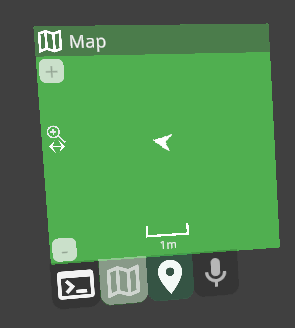
Widgets are small UI interfaces. Initially they were designed with a focus on 'responsive' design, i.e. the content of a widget would dynamically change as the size/orientation of its containing body changes. Sort of like modern web design where the same webpage can change itself to fit a desktop browser size, a smartphone browser size, tablet, etc.
However, in practice, this sort of responsive behavior became significantly de-emphasized, so very few widgets take advantage of these capabilities in any meaningful capacity. We may actually plan to refactor this system soon, to remove some of these unnecessary capabilities and make it simpler to develop new widgets.
Currently, widgets are used almost exclusively as "tabs" in the Tabbed Display interface. You can add multiple widgets to the display as tabs that the user can freely switch between by clicking the tabs along the bottom of the display.
The setup for all widgets is the same.
You need to have a Tabbed Display already setup in your scene.
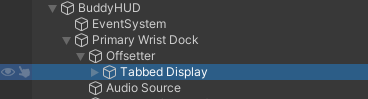
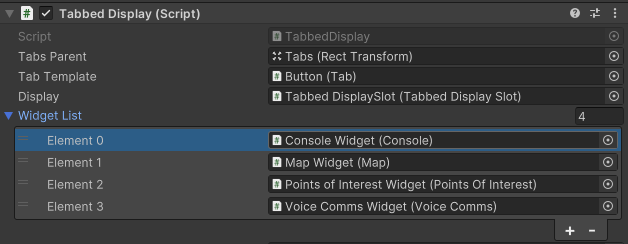
Drag and drop the widget prefab into the Tabbed Display's Widget List. Each widget installed in the list in this way will appear as a tab in the Tabbed Display during runtime.
 1.12.0