 |
FirstModulAR 0.1.0
|
|
FirstModulAR 0.1.0
|
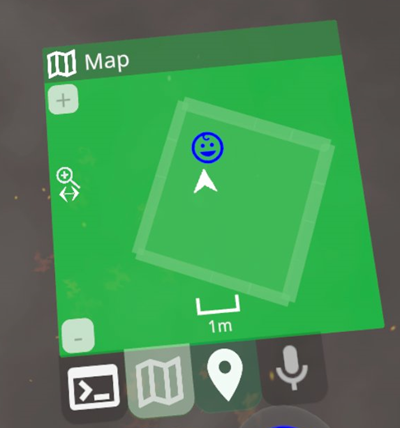
The map widget provides a map of the environment, including information about all known Points of Interest, as well as not-so-appropriately-named Barriers, which are 3D-ish blocks in the environment that are populated by the 3D scan of the local room provided by Meta Quest's space setup feature.
You can zoom in and out of the map using either the [+] and [-] buttons, or the slide gesture.
The map has some intelligent behavior for handling Point of Interest "collisions", or cases where two POIs would be drawn over each other. In such cases, the POI with the higher "scope radius" is drawn. Also, POIs where the "observation radius" of the map is smaller than the "scope radius" of the POI are not drawn – they are only drawn until the map zooms out far enough. The idea is that it doesn't make sense to draw the POI for an environment when you are viewing a subsection of that environment. Only when you zoom out far enough to see the "location" as a whole does the POI appear.
The overall intention behind all this logic is to, at any given zoom level, give the user a map of the environment that is logical/meaningful to the scope they are currently viewing. So if you're looking at a map of the entire United States of America, you won't see a POI for a single hot dog stand in Cincinatti.
Currently the map is constrained so that the user is always at the center of the map. A future developer may wish to add the ability to pan around.
Reference the How to setup a widget section in the readme of the Widgets package.
 1.12.0